Built for Housecall Pro & Printavo
Charge the invoice. Mark it paid. Leave the CRM alone otherwise.
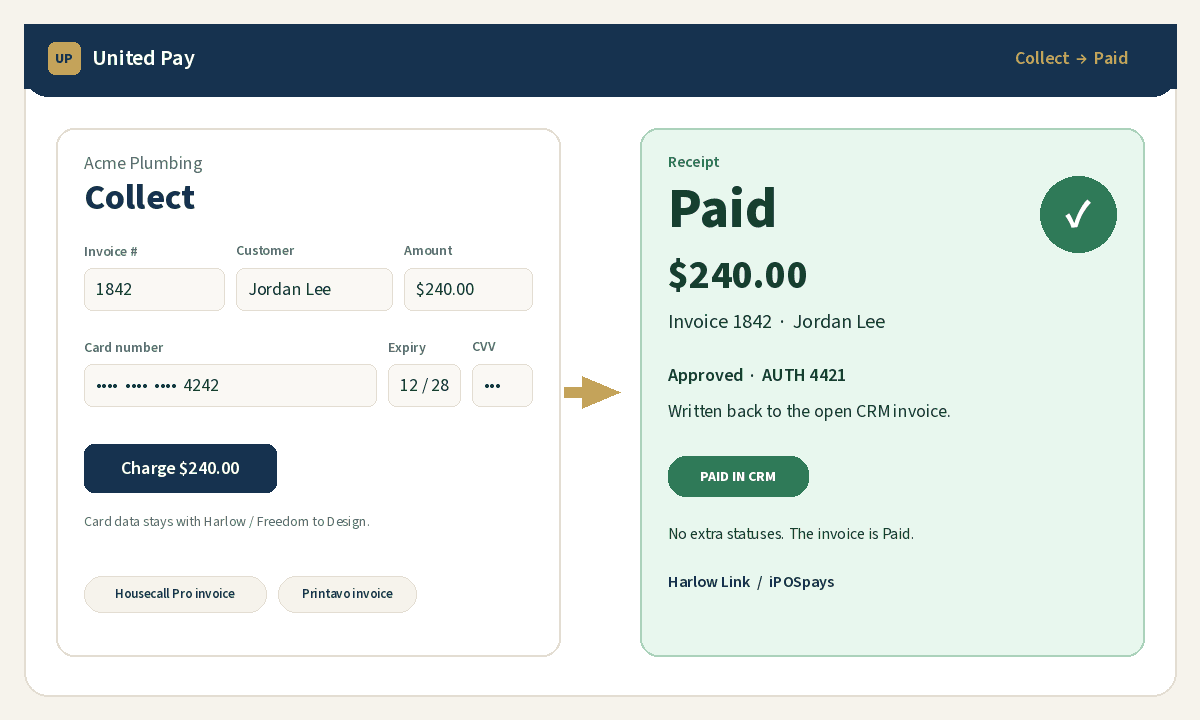
Collect → Paid.
United Pay sits next to your existing workflow. The Chrome extension reads the open invoice, opens Collect, charges on your payment processor credentials, then writes Paid back. Email customers a public pay link when you need it. No extra CRM statuses.
No United Pay SaaS fee while in beta — you pay your payment processor rates only.
How it works
1. Add your company & keys
Create a company, paste your API key, Secret key, and TPN. Then add
https://getunitedpay.comunder Allowed Domains in your payment processor portal. Short whitelist steps.2. Pair the Chrome extension
After you have an account, download the extension (Housecall Pro + Printavo) and pair it once with a one-time code from Connections. Install steps on Help.
Download extension (v1.0.12)3. Charge & write Paid
Collect tokenizes the card, runs the sale on your keys, and the extension marks the invoice Paid in your CRM.
Ready for merchants
Connect your processor keys, pair the extension, and start collecting on Housecall Pro or Printavo invoices. Settings, pairing, and Collect stay in one place—few clicks, no clutter.